Looking for its advertised HD capabilities
Introduction
I have a Bebird R1 "smart visual ear cleaner". It's a pen-like small device with a small camera at the end that can be introduced in various cavities such as the ears or nose to see details, and as advertised to clean them. Besides its primary goal it is also fun to see details invisible to the naked eyes on various surfaces: fabric (see the image below), screen pixels, etc.

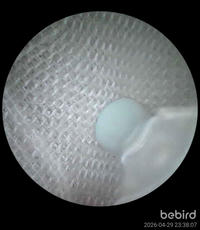
It is ok to use, especially for its low price, but I have two complaints:
- it requires using the official application for iOS/Android;
- the camera claims to be HD, yet the stream I receive on the application is not HD.
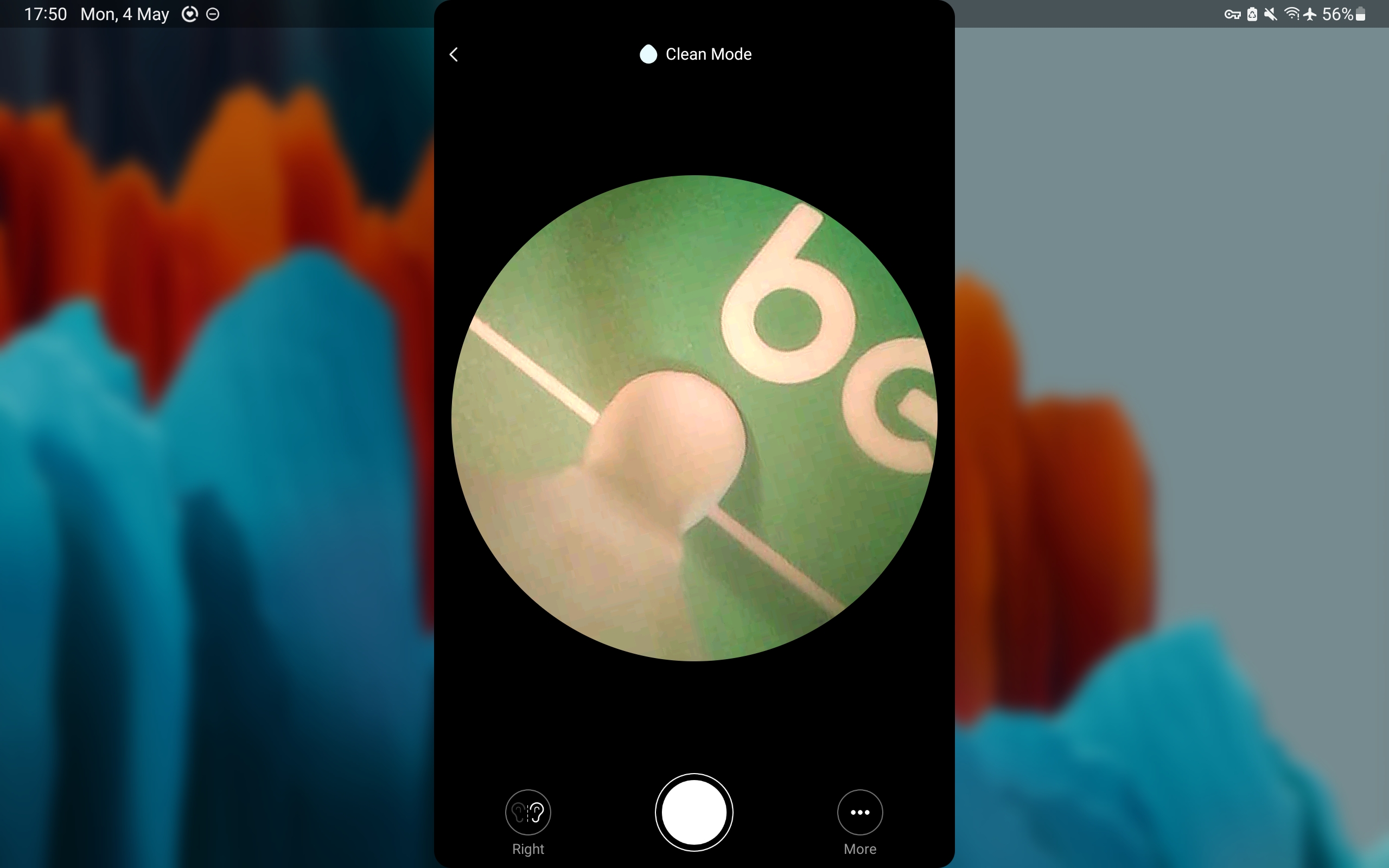
Below is a screenshot of the app interface on my tablet. You can see that it uses a small portion of the screen (in both portrait or landscape modes).
So, let's explore how it works and whether we can lift these restrictions!
Getting access to the stream
The Bebird creates a Wifi access point when turned on (that could have been a third complaint; I prefer cables).
Let's connect the PC to it and scan for open ports:
$ arp -n
Address                  HWtype  HWaddress           Flags Mask            Iface
192.168.5.1              ether   fc:58:4a:ea:ad:63   C                     wlan0

$ sudo nmap -sS -sU -p- -T4 192.168.5.1
Nmap scan report for 192.168.5.1
Host is up (0.0055s latency).
Not shown: 65532 closed tcp ports (reset), 65530 closed udp ports (port-unreach)
PORT      STATE         SERVICE
58050/tcp open          unknown
58090/tcp open          unknown
58098/tcp open          unknown
53/udp    open          domain
67/udp    open|filtered dhcps
58080/udp open|filtered unknown
58090/udp open|filtered unknown
58098/udp open|filtered unknown
MAC Address: FC:58:4A:EA:AD:63 (xiamenshi c-chip technology)
I tried to connect my browser to the various TCP port, which quickly led me to discover a web interface at http://192.168.5.1:58050. Hooray!
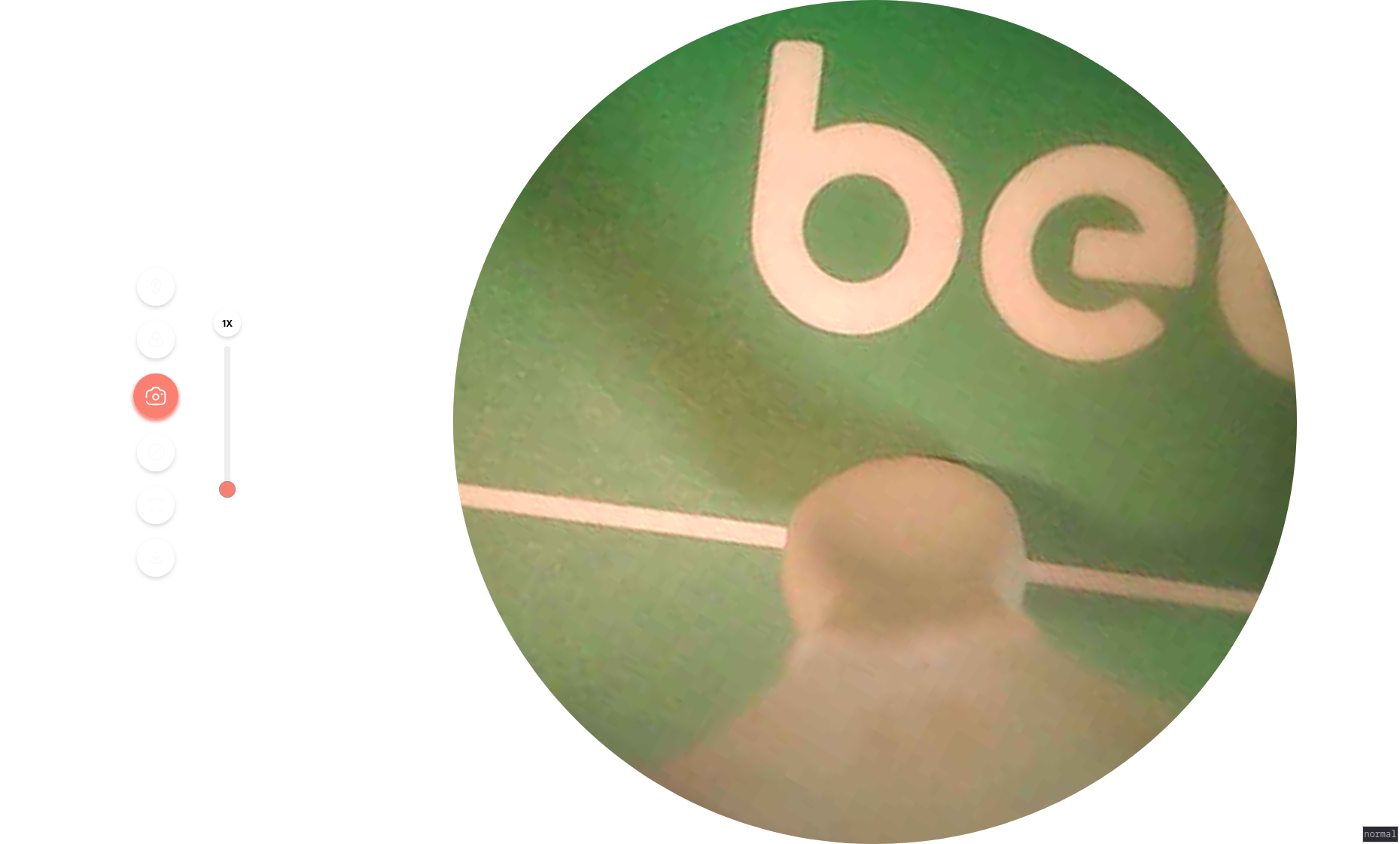
Looking at the webpage source, I've also found the address of the MPEG stream, which I can then open in e.g., VLC: http://192.168.5.1:58050/live. However, this is only 480x480, not HD at all.
Hacking the application protocol
I can now access the camera from my computer, in fullscreen, but the stream quality is not very good (only 480x480 pixels). Maybe if I analyse the messages exchanged between the camera and the app I could find the HD stream address?
Communication Protocol Analysis
To record the network packets exchanged between the application on my tablet and the bebird I use PCAPDroid (available on F-Droid). It can record a pcap file that can then be copied to the computer for further analysis in Wireshark.
Here is a short version of the exchanged bytes:
The first block of messages seems to be some control data. I believe the first pair of messages is the app asking the camera its status (name, battery charge): the app shows "Bebird R1" as well as the battery charge on the first screen. Then, the third message might be asking the camera to start the video stream.
The second block of message is a single video frame. Due to UDP maximum packet length of 1500 bytes it needs to be split into several packets, but when recollecting them we obtain a single JPG image of size 11kB and 480x480 pixels.

How to know it is JPG? The first packet contains ff d8 ff, which signifies the start of a JPG image, and then 4a 46 49 46, which reads as JFIF, stands for JPEG File Interchange Format.
In the second block, the last message sent by the app is probably an acknowledgement. In my tests I did not need to send it.
Finally, once the application disconnects, it sends 86 06 00 to the camera.
Simulating the application
Now that we understand a bit more the communication protocol between the application and the camera we can try to re-create it and see if we can unlock an HD stream.
Here is the Python script I used:
import io
import socket
import sys
import threading
import time

from PIL import Image

# Configuration
CAMERA_IP = "192.168.5.1"
LOCAL_IP = "192.168.5.100"

PACKET_1_LOCAL_PORT = 38516
PACKET_1_REMOTE_PORT = 58090

PACKET_2_LOCAL_PORT = 54717
PACKET_2_REMOTE_PORT = 58080


def get_video_feed():
    """Sends the '66 3a' command"""
    sock1 = socket.socket(socket.AF_INET, socket.SOCK_DGRAM)
    sock1.bind((LOCAL_IP, PACKET_1_LOCAL_PORT))
    cmd = bytes.fromhex("66 36")
    print(f"Sending 1st command to {CAMERA_IP}:{PACKET_1_REMOTE_PORT}...")
    sock1.sendto(cmd, (CAMERA_IP, PACKET_1_REMOTE_PORT))

    """Sends the '20 36' command"""
    sock2 = socket.socket(socket.AF_INET, socket.SOCK_DGRAM)
    sock2.bind((LOCAL_IP, PACKET_2_LOCAL_PORT))
    sock2.settimeout(1.0)
    cmd = bytes.fromhex("20 36")
    print(f"Sending 2nd command to {CAMERA_IP}:{PACKET_2_REMOTE_PORT}...")
    sock2.sendto(cmd, (CAMERA_IP, PACKET_2_REMOTE_PORT))

    """Listens for UDP packets and extract JPEG frames"""
    print(
        f"Listens for UDP packets from {CAMERA_IP}:{PACKET_2_REMOTE_PORT} to {LOCAL_IP}:{PACKET_2_LOCAL_PORT}..."
    )
    # Buffer to store incoming UDP data
    udp_buffer = bytearray()
    while True:
        try:
            data, _addr = sock2.recvfrom(65536)
        except socket.timeout:
            break

        udp_buffer.extend(data)
        # print("Received packet of length {}", len(data))

        # Look for Start of Image (FFD8) and End of Image (FFD9)
        start_index = udp_buffer.find(b"\xff\xd8")
        end_index = udp_buffer.find(b"\xff\xd9", start_index)

        if start_index != -1 and end_index != -1 and end_index > start_index:
            # Extract the complete JPEG frame
            # We slice from the start of the FOUND frame to the end
            frame_data = bytes(udp_buffer[start_index : end_index + 2])

            # Clear buffer up to this point to prevent memory growth
            # But keep any partial data after the end just in case
            udp_buffer = bytearray(udp_buffer[end_index + 2 :])

            try:
                img = Image.open(io.BytesIO(frame_data))
                print(
                    f"Received Image: {img.width}x{img.height} (Size: {len(frame_data)} bytes)"
                )

            except Exception as e:
                print(f"Corrupt frame data: {e}")


if __name__ == "__main__":
    get_video_feed()
With this script I could confirm the received image size and change the control bytes sent at the beginning to see if there is a way to get an HD stream. Unfortunately, it didn't work.
Taking Screenshots
The app and webpage provide a button to take a screenshot.
The webpage contains the following Javascript function, which simply takes a screenshot of the displayed canvas, so 480x480 pixels.
function Ee() {
  var z;
  // 1. Get the hidden <a> tag with id="save"
  const N = document.getElementById("save"),
        E = document.createElement("canvas"),
        S = document.querySelector(".ears-view"); // Selects the <img> tag showing the stream

  // 2. Match canvas size to the video stream size
  E.width = S == null ? void 0 : S.width,
  E.height = S == null ? void 0 : S.height,
  document.body.appendChild(E);

  // 3. Draw the current frame from the <img> onto the canvas
  const j = E.getContext("2d");
  j == null || j.drawImage(S, 0, 0, S == null ? void 0 : S.naturalWidth, S == null ? void 0 : S.naturalHeight, 0, 0, E.width, E.height);

  try {
    // 4. Convert canvas to a Data URL (Base64 JPEG)
    const $ = E.toDataURL();
    N.href = $;

    // 5. Generate a timestamped filename and trigger download
    const re = new Date;
    N.download = re.getFullYear() + ("0" + (re.getMonth() + 1)).slice(-2) + ("0" + re.getDate()).slice(-2) + ("0" + re.getHours()).slice(-2) + ("0" + re.getMinutes()).slice(-2) + ("0" + re.getSeconds()).slice(-2) + ".png"
  } catch ($) {
    console.error($)
  }

  // 6. Cleanup: Remove the temporary canvas
  (z = E == null ? void 0 : E.parentNode) == null || z.removeChild(E)
}
When taking a screenshot from the app, it sends a special command to the camera which then returns a JPG file. What happens is probably that the camera stops the stream, takes a full-resolution image from its sensor, and then sends it back to the app. But then something weird happens: the image saved by the app is 1.36MB, with a resolution of 2828x3258 pixels (8.9 megapixels). It looks like the app is doing interpolation, upscaling the image (because why not I guess).
Findings Summary
This fun adventure hacking the Bebird camera is at least half a success: from now on I can use it without the proprietary smartphone/tablet application. However, there is no such thing as a HD stream.
I could fake an HD stream by repeatedly taking screenshots in my python script, but the result would be a very laggy video stream.
In retrospect, the official product description feels more like marketing information than real technical details that make sense:
- 1080P HD Vision with 6 LED Lights
- 3-megapixel high-precision lens
- Maximum framerate of 30fps
- Image transmission of 20fps
20 or 30fps? 1080P is around 2MP, not 3. The reviews are also all great, but with definitely not HD images.
One final thing I checked is information about the network device (xiamenshi c-chip technology) found in the nmap output. According to the manual, it supports Wifi 802.11 b/g/n with a maximum transmission rate of 72.2 Mbps, so should be enough for full HD which requires less than 10Mbps.
What I think happens is that while the Wifi chip and camera sensors might be able to do full HD, the embedded CPU in the camera is probably not powerful enough. So, to ensure a smooth and stable stream and avoid overheating (the device already gets warm when being used), the software does not allow more than 480p streaming.
Further investigating this claim would necessitate opening the device, which I do not really want to do as I am using it.
Acknowledgements
I have used the Euria LLM to guide me through the hack and wrote this entire article by myself. Euria is provided by Infomaniak, a Swiss-based company that focuses on privacy, security, and sustainable solutions.